
Writing a blog post from scratch can be time-consuming, especially when you’re juggling research, structuring, editing, and SEO. That’s where AI blog writing steps in — offering a faster, smarter, and often more efficient way to produce quality content.
In recent years, tools like ChatGPT, Jasper, and Grammarly have transformed how bloggers and content creators work. You no longer need to spend hours staring at a blank screen or struggling with writer’s block. With the right approach, you can now write a blog post using AI in under 30 minutes — without sacrificing quality or creativity.
But here’s the catch: AI-generated blog content only works when you guide it correctly. Treating it like a co-writer — not a full replacement — is the key. In this post, we’ll walk you through a step-by-step AI content writing workflow that shows how to use AI to write blog posts, personalize them, optimize for SEO, and still keep that authentic human voice your readers love.
Whether you’re a beginner blogger or a seasoned content creator exploring automation, this guide will help you:
- Understand the best AI tools for blog writing
- Learn prompt techniques to generate powerful content
- Use a simple, repeatable way to write blog posts that Google loves — with the help of AI.
- Avoid common mistakes that hurt blog quality or Google AdSense approval
Let’s dive into the new way of blogging — one that saves time, boosts output, and helps you publish smarter.
How AI Changes the Blog Writing Workflow
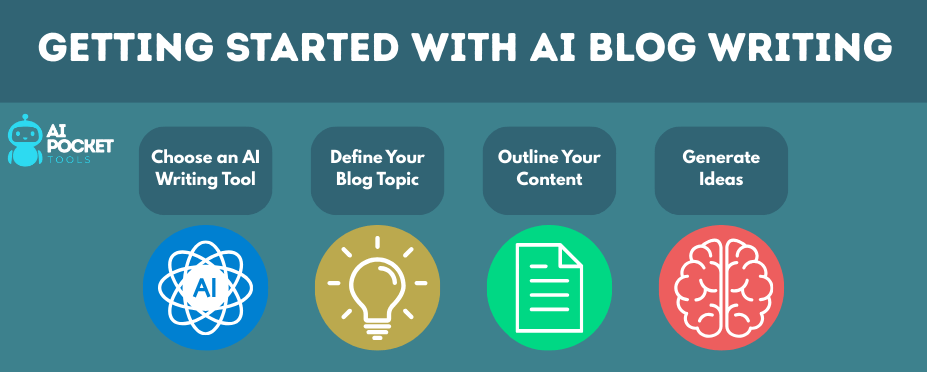
Blogging has traditionally been a manual grind — brainstorming topics, researching, outlining, writing, editing, optimizing, and finally hitting publish. It’s effective but time-consuming. With AI blog writing tools, this workflow is evolving. You can now automate the most repetitive parts while focusing on creativity, personalization, and SEO strategy.
Let’s break down the typical blogging workflow and how AI-generated content fits into each stage:
| Step | Traditional Blog Writing | AI-Assisted Blog Writing |
|---|---|---|
| 1. Topic Generation | Manual brainstorming, time-consuming | Instant topic ideas with AI (e.g., ChatGPT prompts) |
| 2. Outline Creation | Writer builds structure manually | AI generates detailed outlines in seconds |
| 3. Draft Writing | Takes 2–4 hours on average | Draft generated in minutes with prompt-based input |
| 4. Editing & Rewriting | Fully manual process, slower | Faster editing with Grammarly, Quillbot, Hemingway |
| 5. SEO Optimization | Requires knowledge of tools and structure | AI suggests titles, keywords, and helps with formatting |
| 6. Visual Content | Needs external tools, manual design | AI tools (e.g., Canva, DALL·E) simplify image creation |
| 7. Publishing | Manual assembly, final review | Final tweaks + upload done faster with templates |
Essential AI Tools to Write a Blog Post in 30 Minutes
If you’re serious about learning how to write a blog post using AI, having the right set of tools can make all the difference. The goal isn’t just to generate content quickly — it’s to create SEO-friendly blog posts that are valuable, readable, and uniquely yours.
Below is a curated list of AI content creation tools that help streamline each step of the blog writing workflow — from idea generation to polishing your final draft.
1. ChatGPT (by OpenAI)

Best for: Drafting, outlining, and brainstorming
Use it to:
- Generate content ideas
- Write section-wise drafts
- Rephrase sentences
- Create titles and meta descriptions
Prompt Example:
“Write an engaging introduction for a blog titled ‘How to Use AI to Write Blog Posts Faster’.”
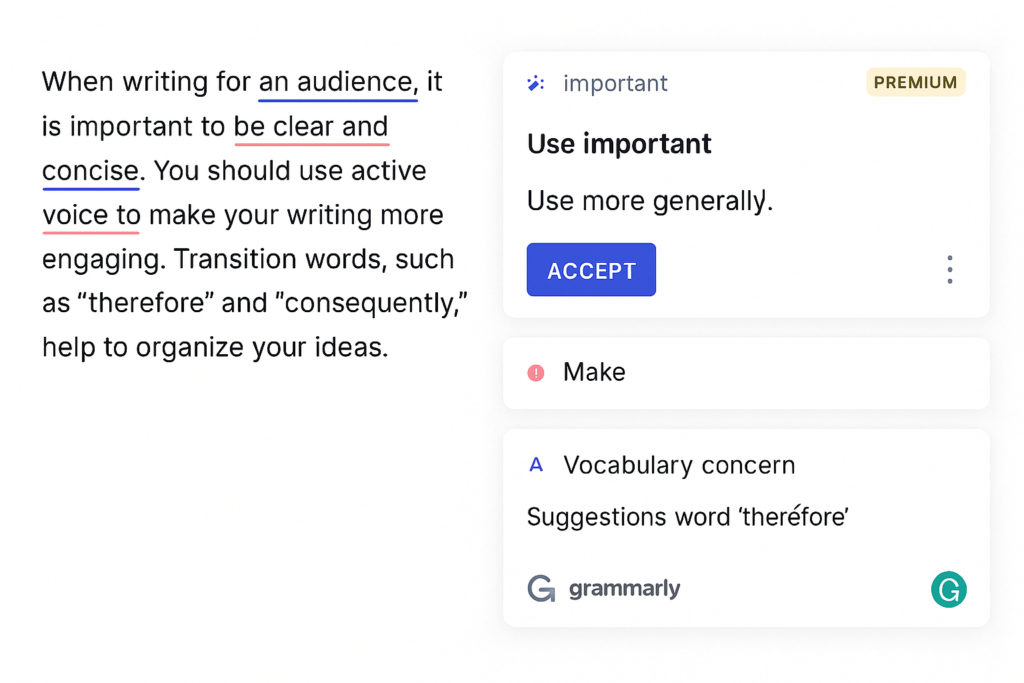
2. Grammarly
Best for: Grammar, tone checks, and clarity
Even the best AI outputs need human-level polishing. Grammarly refines your draft by checking for grammar mistakes, sentence structure, and tone, helping you produce content suitable for Google AdSense approval.
3. Quillbot
Best for: Rewriting and paraphrasing
Quillbot is great for rewriting AI-generated sentences in your own voice. It also helps make content more readable and plagiarism-free — which is important when working with AI-generated blog posts.
4. Hemingway Editor
Best for: Readability and formatting
Paste your blog into Hemingway to make your writing clearer, more active, and easy enough for a 6th–8th grader to understand — perfect for better blog reading and AdSense approval.
5. Canva
Best for: Featured images, infographics, and blog visuals
A clean, informative image increases time-on-page and reader trust. Use Canva to create blog headers, featured thumbnails, or even quote graphics. You can also add alt-text using your primary or secondary keywords to boost SEO.
6. NeuronWriter / Surfer SEO (Optional but Powerful)
Best for: On-page SEO guidance for AI-written blogs
These tools analyze your topic and competitors to recommend keywords, structure, and headings. Pairing this with AI blog writing tools ensures your post ranks better.
Pro Tip: Use Free Versions to Get Started
Most of these tools offer free plans — making them ideal for new bloggers who want to experiment with AI-generated content without spending upfront. Once you start seeing results, you can upgrade for more features.
Writing a Blog Post with AI in Under 30 Minutes
You don’t need to be a tech expert or a professional writer to create high-quality content anymore. With the right strategy and AI content writing workflow, you can go from idea to publish-ready blog post in just 30 minutes. Here’s how to do it — fast, efficiently, and without sacrificing quality.
| Time | Task | Tool Used |
|---|---|---|
| 1–5 mins | Generate blog topic & outline | ChatGPT / Gemini |
| 5–15 mins | Draft each section | ChatGPT / Claude |
| 15–20 mins | Edit grammar & rephrase | Grammarly / Quillbot |
| 20–25 mins | Optimize for SEO | Surfer SEO / NeuronWriter |
| 25–30 mins | Add visuals & finalize post | Canva / WordPress Editor |
Minute 1–5: Choose a Topic and Generate an Outline
Start by opening ChatGPT, Gemini, or Claude and entering a topic or keyword you’d like to write about. For example:
Prompt: “Give me a detailed blog outline for ‘How to Use AI to Write a Blog Post’.”
AI will return a structured outline including headings like introduction, tools, steps, and conclusion. This outline helps your post stay organized and readable — a key factor for AdSense approval and user engagement.
Minute 5–15: Draft Each Section Using AI Prompts
Use your outline to write one section at a time. You can prompt AI tools with clear instructions like:
Prompt: “Write a 150-word paragraph explaining the benefits of AI blog writing for beginners.”
Repeat this for each heading in your outline. You’ll have a full rough draft in minutes.
Minute 15–20: Edit with Grammarly or Quillbot
Once your content is generated, paste it into Grammarly or Quillbot to fix grammar errors, check tone, and rewrite clunky sentences. This step is essential for creating polished, AdSense-friendly blog posts.
You can also run it through Hemingway Editor to simplify sentences and improve readability.
Minute 20–25: Optimize for SEO
Paste your blog into Surfer SEO or NeuronWriter (optional tools) and check for:
- Keyword inclusion
- Heading structure (H2s, H3s)
- Readability score
- Internal linking opportunities
Also, write a meta title and description using your primary keyword like:
Meta Title: How to Write a Blog Post Using AI – Fast, Easy & SEO-Friendly
Meta Description: Learn how to write a blog post using AI in under 30 minutes with free tools like ChatGPT and Grammarly. Perfect for bloggers and beginners!
Minute 25–30: Add a Visual and Final Polish
Use Canva to create a featured image, or download a relevant free stock photo. Add it to your blog and write alt-text that includes one of your keywords:
Example Alt Text: “AI tools used to write blog posts faster”
Do a final read-through, adjust spacing and headings, then hit publish.
3 Simple Ways to Humanize AI Blog Writing
AI can handle the writing, but it’s up to you to add the voice, insight, and personality that make a blog post truly engaging. Here’s how to quickly personalize any AI-generated content before hitting publish:
Add Personal Experience or Commentary
Whether it’s a tool you’ve used or a result you’ve seen, even one real example boosts authenticity. For instance:
“I used Grammarly after drafting with ChatGPT, and it cleaned up 60+ grammar issues in one go — a total lifesaver.”
Rewrite Robotic Sentences in Your Voice
AI can sound flat. Add your natural tone by tweaking intros, transitions, and CTAs. Instead of:
“AI is beneficial for bloggers.”
Say:
“Let’s face it — AI won’t replace you, but it’ll definitely save you a ton of time.”
Include a Real CTA or Opinion
AI-generated content often skips opinion or interaction. You can fix that by ending your post with something like:
“Have you tried AI blog writing yet? Drop your favorite tool or tip in the comments.”
Common Mistakes to Avoid When Using AI to Write Blog Posts
Even with powerful tools, it’s easy to misuse AI and hurt your blog’s quality. Here are key mistakes to avoid:
- Relying solely on raw AI output – Always edit and add personal input.
- Skipping originality checks – Use plagiarism tools to ensure uniqueness.
- Keyword stuffing – Don’t over-optimize; keep SEO natural.
- No formatting or structure – Use proper headings, bullet points, and short paragraphs.
- Ignoring user intent – Make sure the post actually solves the reader’s problem.
Avoiding these simple errors helps your AI-generated blog content meet both reader expectations and AdSense approval standards.
Ready to Write Faster with AI? Here’s What to Remember

Writing a blog post using AI doesn’t have to feel robotic or risky—it can be a fast, efficient, and powerful way to create high-quality content when used correctly. With the right tools and a simple workflow, you can go from idea to published post in under 30 minutes while still adding your personal voice and insight. AI is here to support your creativity, not replace it. So start using AI blog writing tools today, refine your process, and experience smarter, faster blogging that meets the standards of both readers and Google AdSense.
Frequently Asked Questions
Can I use AI to write a full blog post?
Yes, you can. AI tools like ChatGPT or Gemini can generate blog outlines, paragraphs, and even meta descriptions. However, human editing is essential to ensure originality, clarity, and relevance.
Is AI-generated content allowed by Google AdSense?
Yes — Google does not ban AI content. But your content must be unique, helpful, and edited for quality. Low-value or unedited AI content will be rejected.
What’s the best AI tool for blog writing?
ChatGPT is a strong all-rounder. For editing, Grammarly works well. For SEO, Surfer SEO or NeuronWriter are excellent choices when paired with AI drafts.
How do I make AI blog content sound human?
Add personal experiences, rewrite robotic phrases in your tone, and include real-world examples or opinions.
